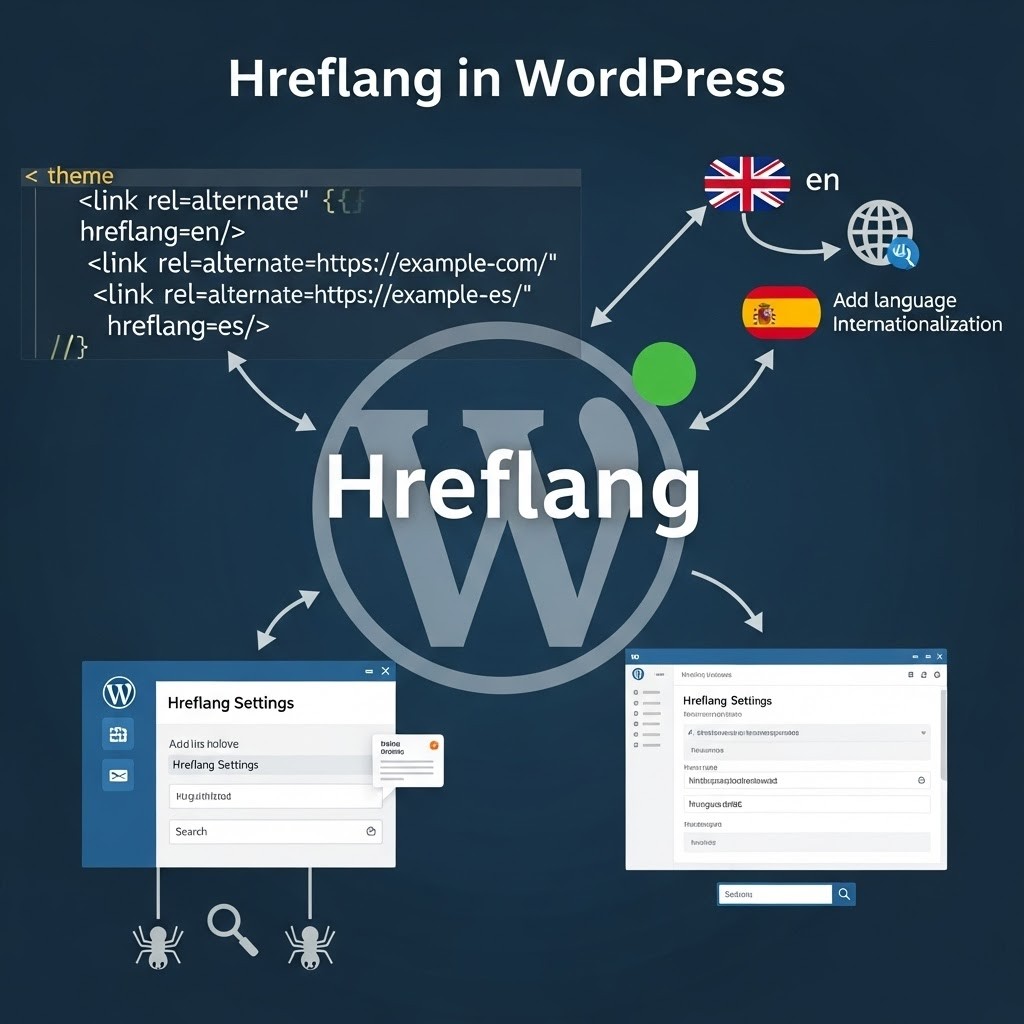
Imagine reaching a global audience with your website, but there’s a catch. Not everyone sees the correct language version of your content. Enter hreflang tags, the solution to this international SEO puzzle. Understanding the concept of hreflang tags is essential for website owners aiming to provide a tailored browsing experience to a diverse audience, ensuring that users are directed to the version of your site that best fits their language and regional preferences.
Navigating the intricacies of multilingual websites can be daunting. They are key for businesses to expand their reach, yet have complex challenges like language barriers and regional differences. Worry not, however, as implementing hreflang tags can optimize user experience and boost your international SEO efforts without relying on external plugins.
In this article, I will provide a concise step-by-step guide on how to manually add hreflang tags to your WordPress website. From identifying language codes to testing and validating your tags, each stage of the process will be covered to help you overcome common hurdles and improve your site’s global performance. Let’s elevate your WordPress site to be as worldly as your aspirations.
| hreflang value | Targets | Example |
|---|---|---|
| en | English, any region | hreflang=”en” |
| en-us | English, United States | hreflang=”en-us” |
| en-gb | English, United Kingdom | hreflang=”en-gb” |
| de-de | German, Germany | hreflang=”de-de” |
| es-mx | Spanish, Mexico | hreflang=”es-mx” |
| x-default | Fallback for unmatched users | hreflang=”x-default” |
What are Hreflang Tags?
Hreflang is an HTML attribute that helps search engines like Google understand the language and regional targeting of a webpage. It’s particularly valuable for websites offering content in multiple languages or catering to diverse geographical areas. By implementing this attribute, site owners ensure that users are directed to the most suitable version of a page based on their language preferences and location.
Defining Hreflang Tags
An hreflang tag is a small snippet of code that tells search engines like Google and Yandex about the language and regional targeting of a specific page. These tags should include both a language code and, if relevant, a region code for instance, “en-GB” for English, Great Britain or “es-ES” for Spanish, Spain.
Google recommends the use of these tags whenever websites have content available in more than one language or regional variant. The implementation of hreflang tags is to indicate the existence of alternate language or regional URLs, facilitating the correct version to users based on their locale.
Importance of Hreflang Tags
For companies that target customers across different regions and languages, hreflang tags are pivotal. They help search engines understand which version of a page to show in the search results, depending on the searcher’s location and language preferences. By doing this, hreflang tags mitigate the risk of running into duplicate content issues, as they clearly signal to the search engine that each page variant serves a unique audience.
Aside from the SEO implications, they are instrumental in enhancing the user experience by serving content in the user’s preferred language, which is critical for engagement and retention on multinational and multilingual websites.
Benefits of Implementing Hreflang Tags
Including hreflang tags on a website comes with significant SEO and usability advantages. They are directly responsible for ensuring that users find the content that resonates with their language and cultural context, thus refining the accuracy of search engine rankings globally.
By directing users to the language and region-specific versions of the site, webmasters can also see improved user metrics like reduced bounce rates and higher engagement and time spent on the site. Furthermore, from a technical SEO perspective, these tags help prevent the misinterpretation of identical content in different languages as duplication, thus maintaining the integrity of a website’s search engine performance.
What Does an Hreflang Tag Look Like?
Hreflang tags in WordPress follow a consistent and straightforward structure. Typically, they appear as <link rel=”alternate” href=”url_of_page” hreflang=”lang_code” />. Let’s break down the syntax for better understanding:
- The “link rel=”alternate” indicates that the link in this tag is an alternate version of the current page.
- The “href=”url_of_page” specifies the URL where the alternate page can be found.
- The “hreflang=”lang_code” specifies the language of the alternate page.
It’s essential to note that hreflang tags are signals, not directives. Popular search engines like Google and Yandex rely on hreflang attributes for language and region targeting, whereas Baidu and Bing do not. Instead, Baidu and Bing utilize the content-language HTML attribute for language indication.
How to Build a Hreflang Tag
Creating an hreflang tag involves finding the necessary language and country codes and then completing the corresponding fields. Hreflang is compatible with two-letter ISO 639-1 language codes and ISO 3166-1 alpha-2 country and region codes. While the country or region code may not always be required, it can be useful in certain cases.
For example, if your English blog has been translated into Spanish and Portuguese, the hreflang attribute for an article would appear as follows:
<link rel=”alternate” href=”https://example.com” hreflang=”en”/> <link rel=”alternate” href=”https://example.com/es/” hreflang=”es”/> <link rel=”alternate” href=”https://example.com/pt/” hreflang=”pt”/>
Each webpage should include the hreflang attribute, referencing all the alternate pages that are served.
Special Cases
When it comes to targeting European users, it’s important to note that Europe or the EU is not considered a country, so it’s not included in the list of countries for hreflang tags. Instead, you have two options: you can either target European users using language targeting only, such as English/EN, or you can target individual countries within Europe, like en-GB for the United Kingdom. It’s crucial to remember that regardless of the approach you choose, you should have only one website version for each targeting.
For the United Kingdom, it’s worth noting that the correct country code is “GB” instead of “UK”. This distinction is important, as “UK” represents Ukraine. Therefore, if you want to target users in the UK, make sure to use the country code “GB”.
For Spanish-speaking users in Spain, you can use the language-country code “es-ES”. However, if you want to target Spanish speakers worldwide, it’s sufficient to use the language code “es” alone.
In the case of targeting Arabic speakers in Argentina, you can use the language-country code “ar-AR”. To target Arabic speakers globally, you can simply use the language code “ar”. On the other hand, if you specifically want to target Arabic speakers in Saudi Arabia, you should utilize the code “ar-SA”.
By understanding and correctly using these hreflang language codes, you can effectively target users in specific countries or regions, ensuring that your content appears in the appropriate language and context.
Understanding Multilingual Websites
Multilingual websites are designed for global diversity, as they offer different versions of their content for various languages and regions. These sites typically feature a language selector, allowing users to choose the most comfortable language. To prevent search engines from getting confused by these multiple versions, hreflang tags are introduced in the HTML code.
Introduced by Google in 2013, the hreflang attribute specifically addresses the issue of providing the correct language version to the user. While Google and Yandex recognize hreflang, Bing relies on language meta tags, which serve a similar but more limited purpose.
Challenges of Multilingual Websites
Running a multilingual website can introduce unique challenges, like ensuring accurate translations and region-specific content. Specifically, different versions of the same language (e.g., English for the US, UK, and Australia) require careful management to ensure the appropriate regional version surfaces for users.
WordPress does not natively support the operation of multilingual sites or the easy addition of hreflang tags, which calls for manual coding or the use of plugins. This lack of built-in support complicates the SEO optimization process, especially for site owners who aim to add hreflang attributes without relying on plugins. Correctly implementing hreflang tags is critical in managing these challenges, thus optimizing multilingual websites for top-notch search engine performance.
In implementing hreflang tags in WordPress without a plugin, webmasters must ensure precision as incorrect tag placement can lead to misinterpretations by search engines, resulting in potential SEO issues.
Steps for Adding Hreflang Tags in WordPress Without a Plugin
Adding hreflang tags to your WordPress website manually is a bit technical, but it’s achievable systematically. This process can be done by directly editing your theme’s files. Below are the steps to guide you through the process without the need for a plugin.
- Step 1: Identify the Languages and Regions – Before you dive into the code, it’s important to identify the languages and regions for which you’re creating content. Consider all the variations your website offers, including different languages and regional dialects such as American English (en-US) versus British English (en-GB). Remember that each language-region combination will require its own hreflang tag.
- Step 2: Determine the Language Code for Each Language – Once you have outlined your target languages and regions, find the correct language and country codes. For instance, ‘en’ stands for English, whereas ‘US’ refers to the United States. When combined in an hreflang tag like ‘en-US’, it tells search engines that this particular content is tailored for English-speaking users in the United States.
- Step 3: Generate Hreflang Tags – The next step involves generating the actual hreflang tags for each language version of your content. An hreflang tag will look like this:
<link rel="alternate" hreflang="en-US" href="http://example.com/">. Be meticulous in crafting these tags, as any error in language or region codes may lead to SEO issues. - Step 4: Add Hreflang Tags to the Source Code of Your WordPress Website – To implement your hreflang tags, you’ll need to insert them into the source code of your WordPress site, specifically in the header section of your theme. This typically means accessing the
header.phpfile, which can be found by navigating to Appearance > Theme Editor in your WordPress dashboard, or more securely via FTP. Then, place your generated hreflang tags within the<head>tags. Back up yourheader.phpfile before making any changes to ensure you can restore your original settings if needed. - Step 5: Testing and Validating Hreflang Tags – After implementation, test and validate your hreflang tags to ensure they are working correctly. There are online tools available that can help you with this process. Incorrectly implemented hreflang tags can do more harm than good, leading to search engine confusion and potentially impacting your site’s visibility. Validation will confirm that search engines understand the intended regional or language targeting of your content, which is crucial for users to find the correct versions of your pages.
You have to check the Aleyda Solis’ The hreflang Tags Generator Tool as well as one handy Chrome browser extension called Hreflang Tag Checker.
By ensuring precision at each step, you can successfully add hreflang tags to your WordPress site without the need for a plugin, aiding your SEO efforts, and improving the search experience for your international audience.
Adding Hreflang Tags to Your XML Sitemap
An XML sitemap serves as a comprehensive document that can be submitted to search engines, providing them with a complete overview of all the pages and files on your website. Think of it as a map that ensures all the important elements of your site are crawled and indexed.
For multilingual websites, XML sitemaps become even more crucial as they allow you to specify all the existing versions of each page. Here’s an example of how hreflang tags are structured within an XML sitemap:
The format of hreflang tags differs when using XML files instead of HTML. However, the basic principle remains the same – hreflang tags are bidirectional, meaning you need to include variations for each language used on your website.
Some argue that this approach can potentially improve website loading times, as you’re not adding code directly within your HTML headers. However, in reality, the impact on loading speed is usually minimal.
It’s generally considered safer to edit your XML sitemap rather than modifying your theme files. However, the more languages your website incorporates, the more complex the implementation process becomes.
Specify the xhtml namespace as follows:
xmlns:xhtml=”http://www.w3.org/1999/xhtml”
- To add hreflang tags in your WordPress site without using a plugin, you can start by creating a separate
<url>element for each URL, just like you would do with any other sitemap. Make sure to include a<loc>child within each<url>element to indicate the page URL. - Next, each
<url>element should have a child element<xhtml:link rel="alternate" hreflang="supported_language-code">that lists all the alternate versions of the page, including itself. The order of these child<xhtml:link>elements does not matter, but keeping them in the same order may be beneficial for easier error checking. - It’s worth noting that these child elements do not count toward the URL limit for sitemaps, so you can include as many variations as needed.
- Upload the completed sitemap to a directory on your website relevant to the pages included in it. Remember that the sitemap should only contain descendant URLs of the directory where it is hosted.
- By following these steps, you’ll be able to include hreflang tags in your XML sitemap confidently, ensuring optimum visibility for your multilingual website.
Alternative Methods for Adding Hreflang Tags in WordPress
Navigating the world of international SEO can be challenging, but adding hreflang tags to a WordPress website is a powerful way to signal to search engines which language versions of content are relevant for different users. While plugins make the process easier for beginners, there are alternative methods for adding hreflang tags that cater to various skill levels and needs.
Using Multilingual Plugins
Multilingual plugins serve as a comprehensive solution for creating and managing a multilingual WordPress site. These plugins simplify the translation of posts, pages, and custom types and automatically add the hreflang tags, saving you from the technicalities of editing code manually.
One of the most popular plugins, Polylang, boasts over 500k active installations, and with an average rating of 4.7 stars, it’s proven reliable in the WordPress community. Upon activation, Polylang presents you with a user-friendly interface to easily select the languages you want to feature on your site. Beyond just adding languages, it also helps to translate associated text for media files, ensuring consistency across translated content.
What makes multilingual plugins like Polylang so valuable is their ability to streamline the entire process from translation of titles, descriptions, and even slugs, to the automatic inclusion of the correct hreflang tags. This ensures a comprehensive multilingual setup that’s technically sound and SEO-friendly essential for connecting with a global audience in their native language.
Using Online Tools
Some, like Google’s John Mueller, consider hreflang tags among the most intricate aspects of SEO. With over 75% of websites displaying mistakes in hreflang implementation, it’s no surprise that using online tools to verify and validate these tags is vital for maintaining an effective international SEO strategy.
Tools like Merkle’s Hreflang Tag Tester offer a straightforward method to test hreflang tags on live websites, ensuring that each language or regional URL is correctly recognized by search engines. Such validation is pivotal to avoid the all-too-common errors that can negatively impact the user experience and site visibility.
Also, free resources can be critical in testing hreflang tag setups. These online tools analyze the tags in place and report back on any implementation issues. Regular use of these tools ensures that hreflang tags continue to function as intended, guiding search engines and directing users to the appropriate language version of your site.
By acknowledging the significance of accurate hreflang tags for SEO success and user experience, website owners can use these alternative methods to enhance their international reach without relying solely on plugins. Short and easily digestible paragraphs help condense complex information, while online tools support non-experts in mastering this crucial element of search engine optimization.
Common Issues and Troubleshooting
When manually implementing hreflang tags in WordPress, several common issues can arise, potentially impacting your SEO efforts. Given the importance of details such as the correct language and region codes, any oversight might lead to competing hreflang tags within a website, destablizing rankings and visibility. For instance, providing an incorrect country code could signal Google that a page is targeted to the wrong audience.
Manual additions are inherently complex, especially for websites with extensive multilingual content. Human error is a risk factor; even small mistakes in the hreflang tags can prevent them from operating effectively. To navigate these challenges, experienced coders should undertake the troubleshooting process. Patience is key, as resolving issues often requires a detailed review of your code against language and region standards.
Duplicate Content and Hreflang Tags
Duplicate content is a primary concern for multilingual websites without properly implemented hreflang tags. Search engines may mistakenly conclude that similar pages in different languages are copies, filtering them out as duplicates and impacting SEO. Hreflang tags, however, clarify the uniqueness of each version by promoting the sharing of ranking signals.
They are critical in enabling search engines to discern the relevance of web pages to users with specific language and regional preferences. Ultimately, hreflang tags guide search engine users to the most suitable language version of a page. The clearer differentiation afforded by these tags leads to a better user experience and improved SEO.
Bounce Rates and Hreflang Tags
Bounce rates reflect the percentage of visitors who leave a site after viewing a single page. Effectively utilized hreflang tags can mitigate high bounce rates by ensuring that users land on content that’s relevant to their language and region, subsequently increasing engagement. This targeted approach boosts user experience and can improve tangible business outcomes such as course sign-ups and order volumes.
In the context of multilingual websites, hreflang tags are pivotal to offering a localized user experience. The more a site resonates with its audience linguistically, the greater the potential for higher conversion rates and revenue. Personalized content, supported by hreflang tags, fosters a connection with visitors and enhances the likelihood of brand loyalty and retention.
Handling Language Versions and Alternate Versions
To effectively manage multiple language versions of content, it is important to communicate to search engines which language is being used on each webpage. Hreflang tags serve this purpose. Properly implementing these tags is crucial for optimizing the delivery of search engine results to diverse audiences.
WordPress supports a variety of languages, enabling the creation of websites that cater to global markets. Solutions for handling different language versions range from plugins like MultilingualPress and Polylang, which automate the process of adding hreflang tags, to manual methods which often involve editing the website’s header.php file.
For manual implementation, the steps are as follows:
- Identify the specific language and region codes for your content (e.g., en-GB for English in the United Kingdom).
- Add the hreflang tags to the
<head>section of your web pages. You may do this by modifying your theme’sheader.phpfile or using an FTP client to upload the changes. - Ensure each language page points to alternate versions using the
rel="alternate"andhreflang="x"attributes.
By being thorough in managing language and alternate versions, you can ensure that users everywhere can enjoy content tailored to their native language, enhancing your website’s global reach.
ChatGPT Prompt for Hreflang Tags Generation
Generate Hreflang tags for to use as patterns for your site pages
“Generate the hreflang tags to feature in pages targeted to the <country> in <language>, <country> in <language> and <country> in <language>…”
Credit: Aleyda Solis – https://www.aleydasolis.com/en/search-engine-optimization/chatgpt-for-seo/
Alternate prompt:
Generate hreflang tags for my website. My website URL is [URL]. The X-default version is English. The German version is [URL]. The French version is [URL]. Include the links to the German and French versions. Include both the language and localization.
Frequent Hreflang Tag Errors
- Reversing the order of Country code and Language code, it should be the other way around
- No self-referencing hreflang – the hreflang attribute on each page should include a reference to all alternate pages, including a reference to itself.
- Conflicting hreflang and rel=canonical URLs – this error occurs when an hreflang tag points to a non-canonical URL.
- Using a dash (–) instead of a hyphen (-)
- Using incorrect quotation marks (“ ”) instead of (” “)
- Using a relative URL like /usa/ instead of providing the full URL
- Using only the country code without including the language code, which is mandatory
- Missing a self-referencing Hreflang tag that points to the current page
- Including multiple Hreflang tags for a single page
- Combining Hreflang and Canonical tags, which can lead to conflicts
Hreflang Tags Simplified FAQs
Do Hreflang values require case sensitivity?
No, capitalization (lowercase vs. uppercase) does not affect Hreflang tags. However, it is recommended to use lowercase for language codes and uppercase for country codes, following the ISO 3166 convention.
Does the order of attributes matter in Hreflang tags?
No, the order of attributes does not matter in Hreflang tags.
What is Hreflang and why is it important?
Hreflang is an HTML attribute used to specify the language and geographical targeting of a webpage. It is crucial for multilingual websites as it guides search engines to serve the correct language or regional URL in search results.
How does Hreflang work for a website with only one language?
If a website targets speakers of a specific language, the Hreflang attribute can be used to specify that language. It informs search engines about the language, helping them serve the content to the right audience.
What can cause Hreflang conflicts within the page source code?
Hreflang conflicts can result from incorrect implementation, such as having multiple entries for the same language or region, missing self-referencing tags, or using incorrect language codes.
How is Hreflang used in HTML+?
Hreflang in HTML+ is used similarly to standard HTML. It helps define the language and region for a specific page, guiding search engines to serve the appropriate version of the content.
What is the Hreflang tag for English in Australia?
The Hreflang tag for English language in Australia is “en-AU”. It directs search engines to serve that specific version of the page to users seeking English content in Australia.
How is Hreflang used in Canada?
In Canada, Hreflang can be implemented using either “en-CA” for English version or “fr-CA” for French, reflecting the country’s two official languages.
What does the ‘Document has a valid Hreflang’ error mean?
This error message indicates that the Hreflang tags are correctly implemented on the page. It signifies that the specified language and regional targeting are set up correctly.
What’s the difference between HTML lang and Hreflang?
While both specify language, the “lang” attribute defines the language of content on a specific page, whereas Hreflang helps search engines understand the language and regional targeting of a webpage.
What country does the ‘es’ language code refer to?
The “es” language code refers to Spanish. It is not specifically tied to a country but denotes content written in Spanish language.
How can I find all country codes?
Websites that maintain and publish the ISO 3166 international standard provide a comprehensive list of country codes.
How do I fix the ‘no self-referencing Hreflang’ issue?
To fix the ‘no self-referencing Hreflang’ issue, you need to add a self-referencing Hreflang tag to each page. This tag informs search engines that the page is also targeted at the same language and region as specified.
How can I fix Hreflang tags with errors?
Fixing Hreflang errors involves identifying and correcting the issues, such as incorrect language codes or missing self-referencing tags. Various online tools can help identify and resolve these errors.
Resources
The Hreflang Mistakes That Cause the Most Damage
Hreflang is easy to add and easy to get subtly wrong, and the wrong version can be worse than none at all because it actively misdirects Google.
- Missing return tags – Hreflang has to be reciprocal. If page A points to B but B does not point back, Google ignores the annotation. This is the single most common failure.
- Wrong region and language codes – Using a country code where a language code belongs, or inventing combinations that do not exist. The spec is strict, and near-enough does not work.
- No x-default – Without a fallback, users who match no specified market get served whatever Google guesses, which is rarely what you want.
- Hreflang on non-canonical URLs – Pointing annotations at pages that canonicalise elsewhere sends conflicting signals and quietly breaks the whole setup.
On multi-market gambling sites this is not a cosmetic issue. A broken hreflang setup can surface the wrong market’s licensing and content to the wrong players, which is a compliance problem as much as an SEO one.